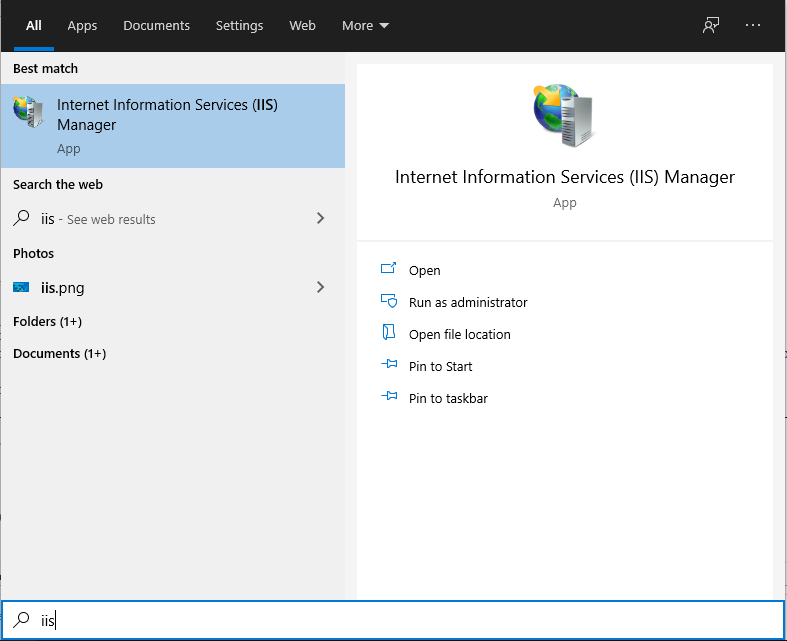
 It brings up the Internet Information Services (IIS) Manager:
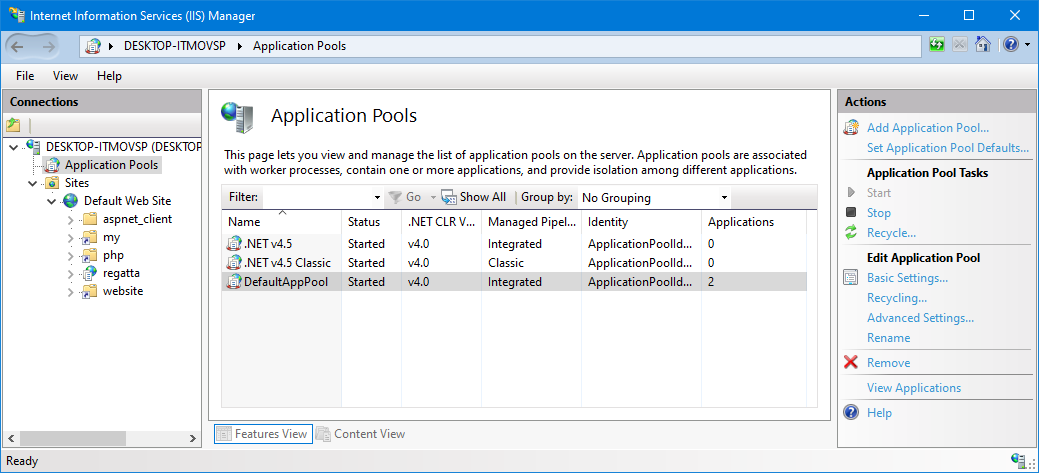 Expand the tree on the left hand side. Select 'Application Pools' from the tree, then 'Default App Pool' in the middle of the screen.
On the right hand side, you will see the Actions Pane. Click 'Advanced Settings...' to bring up a configuration dialog:
Expand the tree on the left hand side. Select 'Application Pools' from the tree, then 'Default App Pool' in the middle of the screen.
On the right hand side, you will see the Actions Pane. Click 'Advanced Settings...' to bring up a configuration dialog:
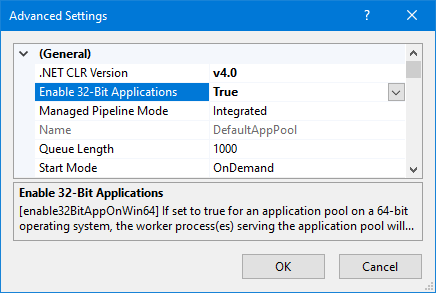 Set the value of 'Enable 32-Bit Applications' to
True and click OK.
Finally, click 'Recycle' in the Actions Pane.
Set the value of 'Enable 32-Bit Applications' to
True and click OK.
Finally, click 'Recycle' in the Actions Pane.
Return to Installation index page